
How to Repair MySQL Index Page Corruption and Recover the Database?

In MySQL Server, data in the database is stored in pages of fixed size blocks and page indexes are used to quickly locate data in the database, which helps improve server performance. Both pages and indexes work together. Sometimes, you can encounter errors, like apparent corruption of an index page to be written to the data file.
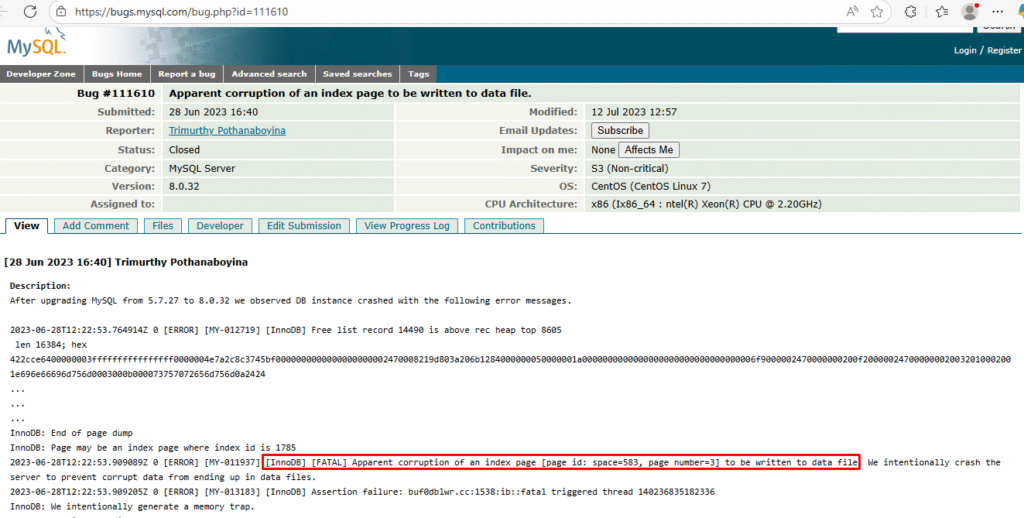
Such errors occur when the index pages in your database are corrupted. When the page corruption occurs, the InnoDB engine intentionally crashes to prevent writing corrupt data. In this article, we will learn about the causes of index page corruption in MySQL and the solutions to resolve the issue. To repair the pages in InnoDB tables quickly, you can use a professional MySQL repair tool.
What are the Reasons for Index Page Corruption in MySQL?
Here are some common reasons for index page corruption in MySQL Server:
- Hardware failure (disk/RAM).
- Abrupt application or system crash.
- Torn pages from partial writes.
- Software bugs.
- Virus on the system where the MySQL database is saved.
How to Check Corruption in Page Indexes in MySQL Database?
You can check the MySQL error log. Here, look for any specific messages indicating corruption in indexes. To find the error log, use the below command:
SHOW VARIABLES LIKE ‘log_error’;
It will show the path to the error log file.
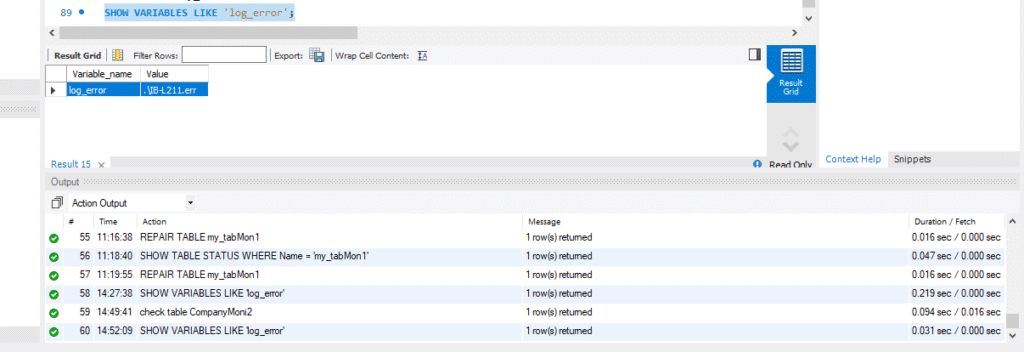
In the error logs, look for error messages indicating corruption in page indexes (see the below examples).
[ERROR] [MY-012728] [InnoDB] Record overlaps another
[ERROR] [MY-012738] [InnoDB] Apparent corruption in space 98 page 4 index `PRIMARY`
[ERROR] [MY-013050] [InnoDB] In page 4 of index `PRIMARY` of table `sales`.`store`, index tree level 2
[ERROR] [MY-010211] [Server] Got error 180 when reading table ‘./sales/store’
Apparent corruption in index PRIMARY
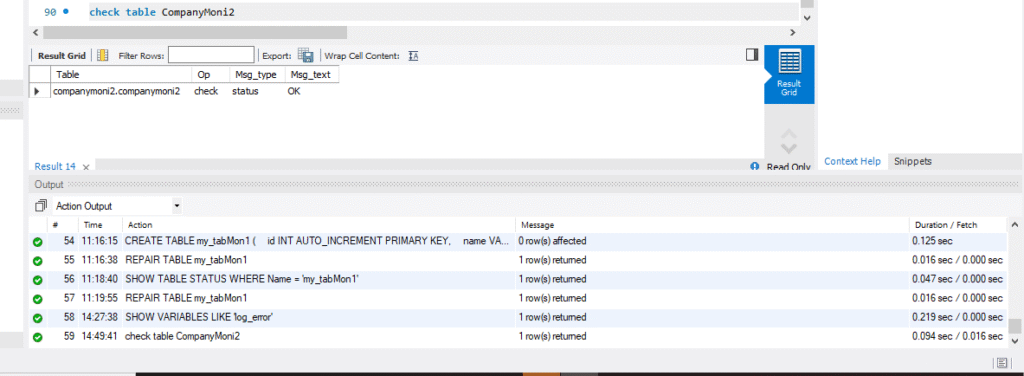
Alternatively, you can run the CHECK TABLE command to check for corruption (see the below example).
check table CompanyMoni2
The status OK in output means the MySQL table is free from corruption.
What are the Methods to Repair MySQL Index Page Corruption?
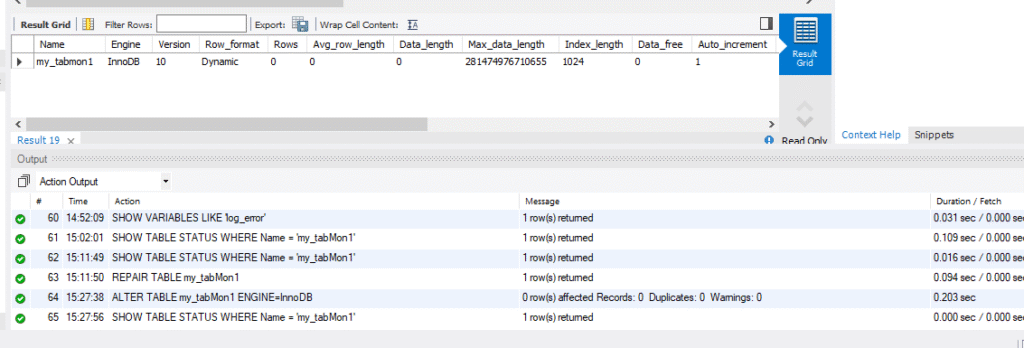
The solutions to repair tables may vary with the storage engine used to create them. To check the storage engine of the table, you can execute the following command:
SHOW TABLE STATUS WHERE Name = ‘my_tabMon1’;
It will show MyISAM or InnoDB against the table name.

Once you know the storae engine, then repair the table accordingly:
How to Repair MyISAM Tables?
In the case, where you need to repair MyISAM table, follow the methods mentioned below:
1 – Restore Backup
If you have an updated dump file, then you can restore it. Restoring the backup recreates and reloads the structure of table, including all the indexes. You can use the mysqldump utility to restore the backup file in MySQL. If the binary log file is enabled, then you can perform point-in-time recovery in MySQL.
Limitations of this method:
- You should have readable backup file handy with you.
- Restoring a large database can take time.
- Not possible to restore specific indexes from backup.
2 – Run REPAIR TABLE Command
You can run the REPAIR TABLE command to repair the corrupted table (see the below example):
REPAIR TABLE my_tabMon1;
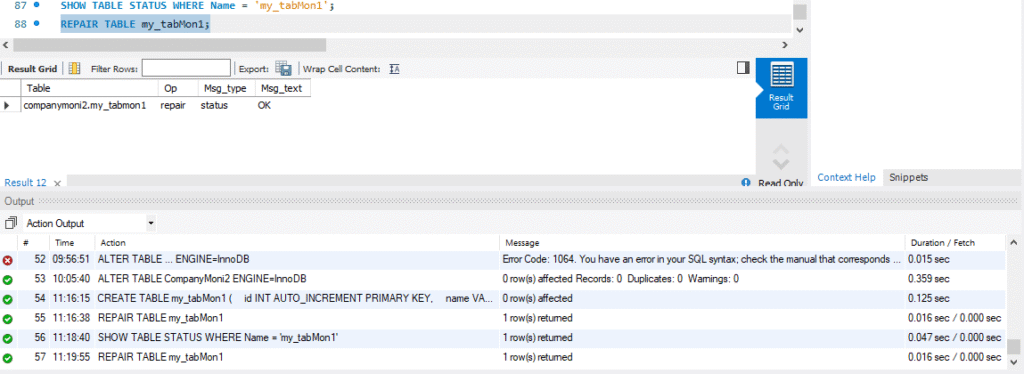
The OK status under Msg_text means that the repair completed successfully and now the repaired table is consistent. If it fails, then you can face the error message in place of OK.
Limitations of this method:
- It cannot repair severe data corruption.
- Can discard damaged indexes or rows while repairing.
- It can repair indexes but may not suitable for page-level corruption in InnoDB tables.
How to Repair InnoDB Tables?
If corrupt pages belong to InnoDB table, then follow the below solutions.
1 – Rebuild MySQL Table using ALTER TABLE Command
If the page indexes are corrupted in MySQL tables, then you can use the ALTER TABLE command to rebuild the tables. Here’s how:
ALTER TABLE CompanyMoni2 ENGINE=InnoDB;
Limitations of this method:
- If corruption is severe (e.g., damaged index pages), this command may fail or not resolve the issue.
- It can be slow and resource-intensive, since it rebuilds the entire table.
- It doesn’t guarantee recovery if the corruption is at the page level.
2 – Use Inno_space (Unofficial Command-line Tool)
You can use inno_space command-line tool to resolve corrupt pages issues in MySQL. It allows you to open InnoDB (.idb) files with detailed table information, bypassing corrupt pages. It supports MySQL 8.0. To use this command, you can follow this GitHub repository.
Limitations of this method:
- It may delete corrupt page in .ibd files.
- It is not an official MySQL tool.
- It may not repair complex corruption across all InnoDB files.
- To use this command, you require excellent knowledge of InnoDB internal architecture and file structure.
3 – Use Dump and Reload Method
You can use the Dump and Reload method to repair index pages in MySQL database tables. MySQL Server usually crashes when you try to access corrupt or damaged InnoDB tables. So, you can change the innodb_force_recovery settings to allow the server to start even after detecting corruption in the database. This helps you to rebuild the corrupt database. To change the settings, you need to locate the MySQL configuration file, which is usually located at: /etc/mysql/my.cnf. Next, change the default value of innodb_force_recovery to ‘1’ from the my.cnf file. Here is how to do so:
[mysqld]
Innodb_force_recovery=1
service mysql restart
Once your server is started, then use the below steps to rebuild indexes in MySQL database:
- Use the mysqldump command to dump the table data:
mysqldump -u user -p database_name table_name > single_dbtable_dump.sql
- Next, export all the databases to the dump.sql file using the following command:
mysqldump –all-databases –add-drop-database –add-drop-table > dump.sql
- Now, restart the MySQL Server and then drop the database using the DROP DATABASE command.
- Next, disable the InnoDB recovery mode by commenting on the below line in configuration file:
#innodb_force_recovery=…
- Save the changes to the my.cnf file and then restart the MySQL Server.
Limitations of this method:
- This method may not work if the mysqldump fails to access severely corrupted file.
- It is a time-consuming process to dump and reload large-sized tables.
- If you do not have permissions to access the mysqldump utility, you cannot use it.
- You need a running MySQL server.
- To start inaccessible server with –innodb_force_recovery can cause data loss.
Quick Method to Repair MySQL Page Index Corruption
If the above methods fail or if you want to repair MySQL database quickly and with no data loss, then you can opt for an advanced MySQL repair tool, like Stellar Repair for MySQL. It is a powerful tool that can repair both InnoDB and MyISAM tables. It can repair highly corrupted MySQL database of any size, with complete integrity. It can recover indexes, keys, partitions, and other objects.
Why you should use Stellar Repair for MySQL to repair page index corruption?
You should opt for this software if you want to repair pages and indexes in MySQL database,
- Quickly
- Without technical knowledge
- With complete integrity
- Without storage engine specification
Conclusion
In this article, we have discussed the methods to repair corrupt index pages in MySQL. You can restore the database from backup. If the backup is not up-to-date, you can repair the MySQL tables by following the solutions discussed in the article. To save time and effort, you can use a professional MySQL repair tool, such as Stellar Repair for MySQL. The tool supports Windows and Linux operating systems. You can download the demo version of the tool to scan the MySQL database and preview the repairable objects. This will help you to check the tool’s functionality.
